
Maps and routes
Where you are, flags on the map in any zone, and routes that flag each stop in turn.
| Tool | What it does | Module |
|---|---|---|
get_position | Where you are: zone, region, area and sub-area, the map, map coordinates as the in-game map shows them, the world position, and the map flag if one is set (with its distance) | Game data |
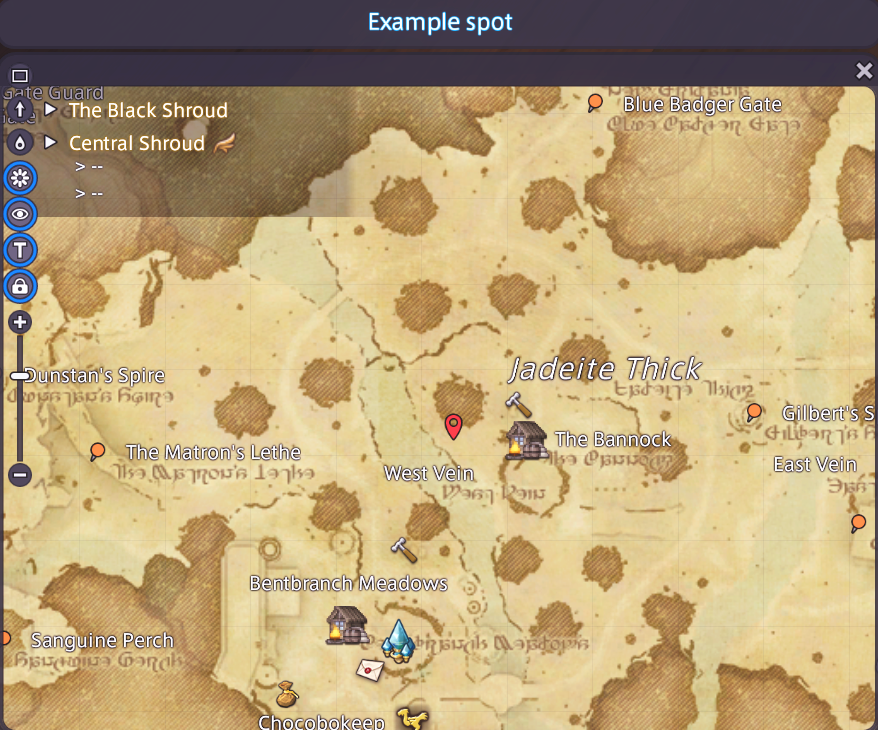
set_map_flag / clear_map_flag | Places the flag on your map at map coordinates in any zone (by name or territory id), and can open the map there; or removes it | Game & navigation |
wait_until_arrived | A job step that waits until you are in a zone and within a radius of map coordinates there (or of the flag) | Background jobs |
start_route | A route as a background job: flags the first stop, waits until you get there, flags the next, and clears the flag after the last. Zones can change between stops. | Game & navigation |
You do the travelling
XIV MCP only marks the way. You travel however you like: walking, mounted or by teleport.
While a route waits for you, your assistant can still use other tools, because waiting steps do not hold up the rest. Pause, extend or change a route with the usual job tools.
Example
"Make a route through (12.4, 8.1), (20.0, 15.3) and (31.2, 22.8) in Yak T'el."
Your assistant calls start_route with three stops. The flag appears at the first spot. When you get within reach of it, the flag moves to the second, and so on. After the last stop, the flag is cleared and the job is done.
Coordinates go from 1 to 42, like on the in-game map. A route holds up to 50 stops.