
ChatGPT
Use XIV MCP from Codex in the ChatGPT desktop app, the Codex CLI or the IDE extension.
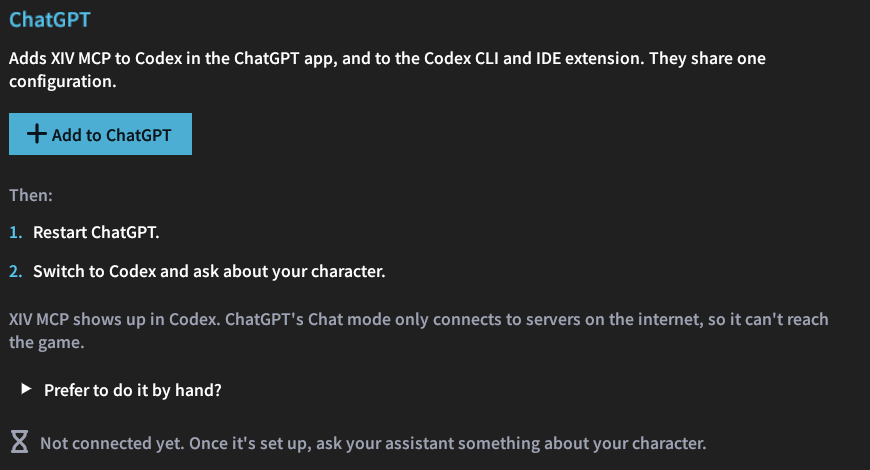
The ChatGPT desktop app has two parts: Chat, the usual conversation, and Codex, an assistant that works with programs and files on your PC. XIV MCP works in Codex. Chat only connects to MCP servers on the internet, so it cannot reach the game, which runs on your PC.
One click
In /xivmcp → Connect, choose ChatGPT and click the button. XIV MCP adds itself to ~/.codex/config.toml, the file that Codex in the ChatGPT desktop app, the Codex CLI and the IDE extension share.
- The rest of the file is kept.
- The previous file is saved as
config.toml.xivmcp-backup. - Restart ChatGPT afterwards, so Codex reads the new entry.
By hand
Codex can read the token from an environment variable. In PowerShell, store the token:
setx XIVMCP_TOKEN "<token>"Then open a new terminal, so it sees the variable, and add the server before you start Codex:
codex mcp add ffxiv `
  --url http://localhost:37521/mcp `
  --bearer-token-env-var XIVMCP_TOKEN
Or add the server to ~/.codex/config.toml directly:
[mcp_servers.ffxiv]
url = "http://localhost:37521/mcp"
http_headers = { "Authorization" = "Bearer <token>" }
Replace <token> with the token from /xivmcp → Connect.