
Connecting your AI app
Other apps
Connect any MCP client that supports HTTP servers, and what is coming for Cursor, GitHub Copilot and Grok.
Any MCP client
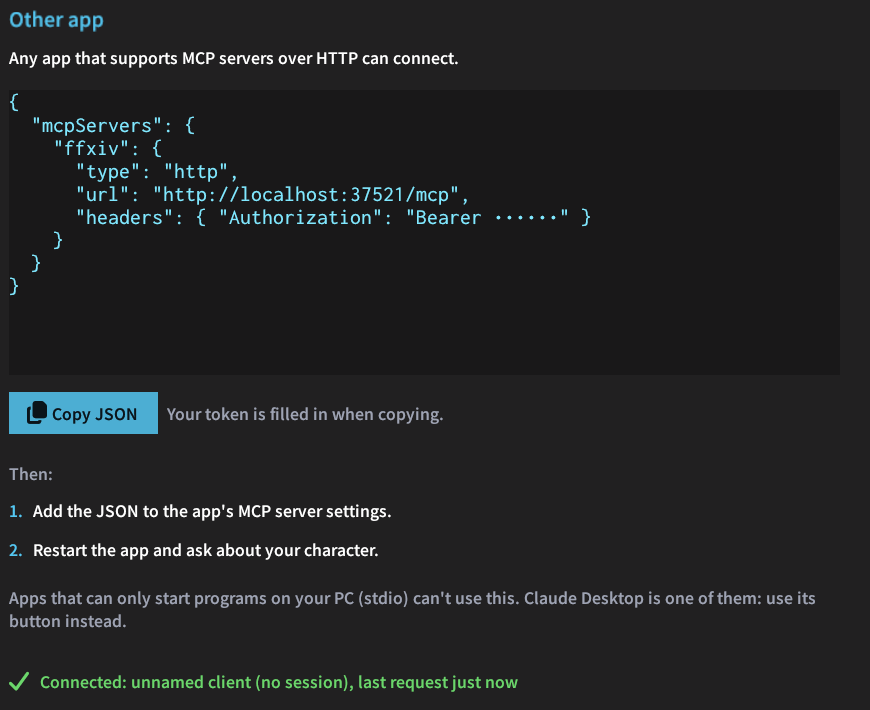
Apps that read an mcpServers JSON configuration and support HTTP servers take this entry. Copy JSON in /xivmcp → Connect copies it with your token filled in:
{
  "mcpServers": {
    "ffxiv": {
      "type": "http",
      "url": "http://localhost:37521/mcp",
      "headers": { "Authorization": "Bearer <token>" }
    }
  }
}
The app has to run on the same PC as the game. Apps that only connect to servers on the internet (such as ChatGPT's Chat, or grok.com) cannot reach it.
Coming soon
These tiles are greyed out in the Connect tab until their setup has been tested:
| App | What the button will do |
|---|---|
| Cursor | Open Cursor's install link for MCP servers. |
| GitHub Copilot (app and CLI) | Add XIV MCP to ~/.copilot/mcp-config.json, which the Copilot CLI reads and, according to GitHub's documentation, the GitHub Copilot app too. |
| Grok Build (xAI's assistant for the terminal) | Add XIV MCP to ~/.grok/config.toml. grok.com only connects to servers on the internet, so it cannot reach the game. |
Until then, you can set them up by hand with the JSON above, if the app takes it.